Three pillars. One perfect workflow.
Most apps track brews. HomeBarista tracks brews, manages your beans, and shows you what actually works.
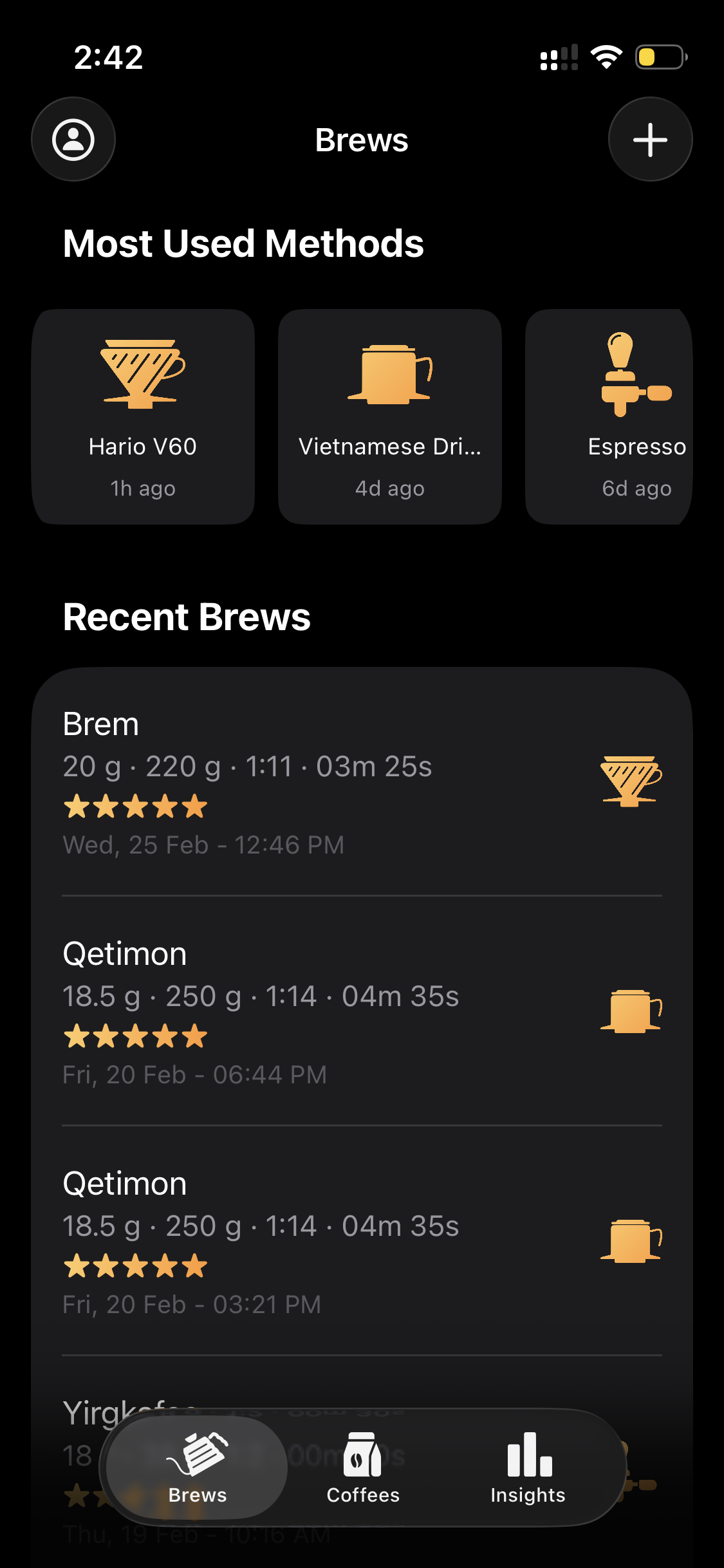
Log Every Brew
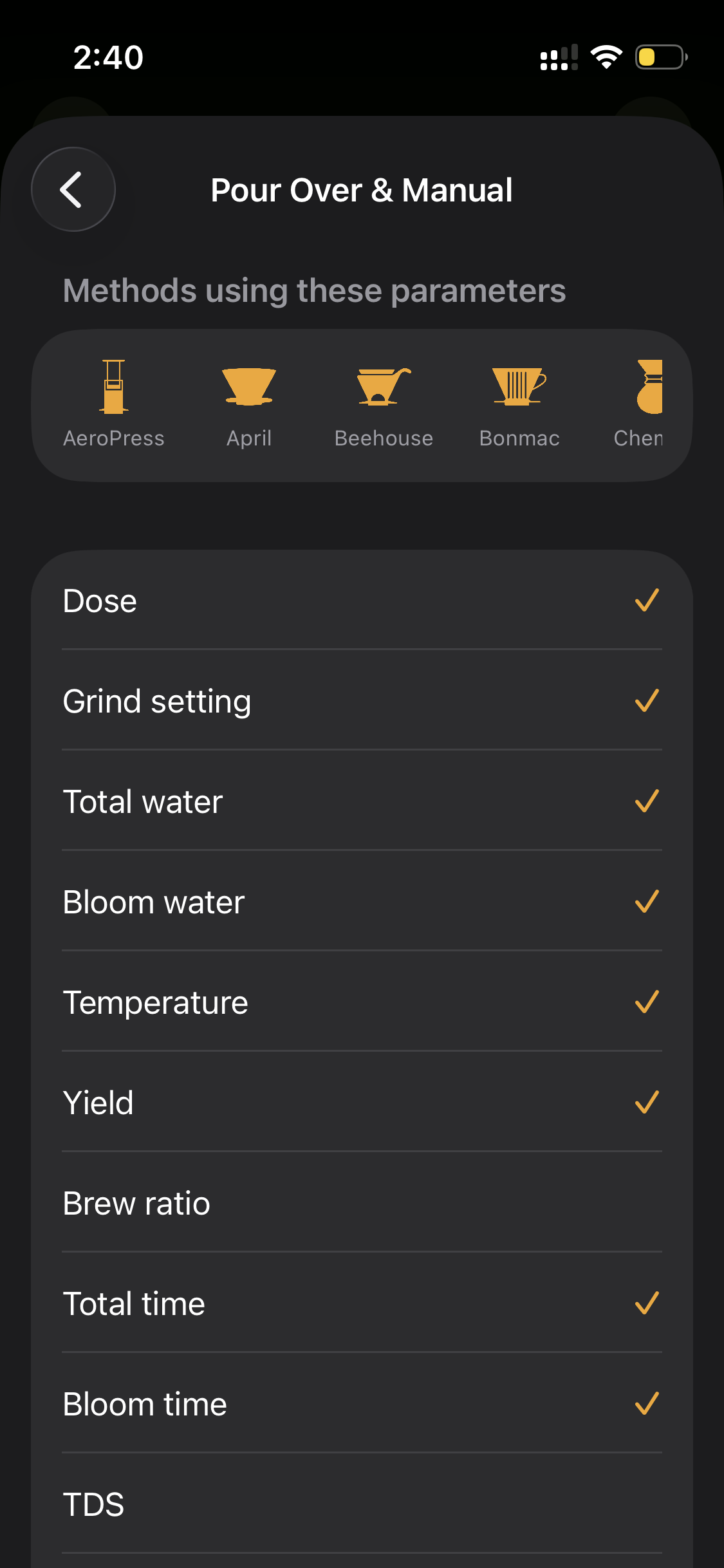
Dose, grind, water, temp, time, TDS, extraction — capture every variable that affects taste. Copy from your last brew or start from a device template to save time.
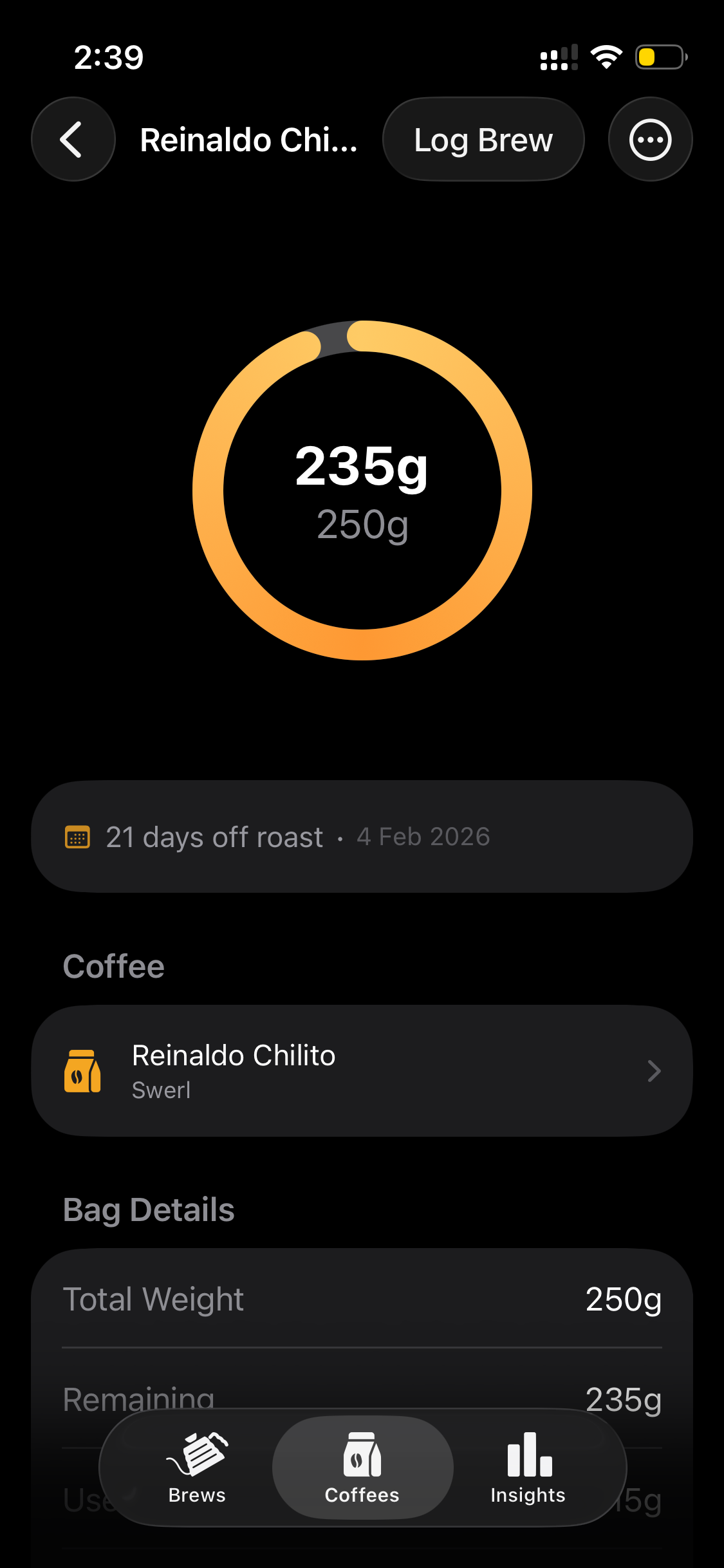
Manage Your Coffee
Every bag tracked from origin to last cup. Watch inventory deplete in real-time, get warned when you're running low, and scan labels with AI to skip manual entry.
Discover What Works
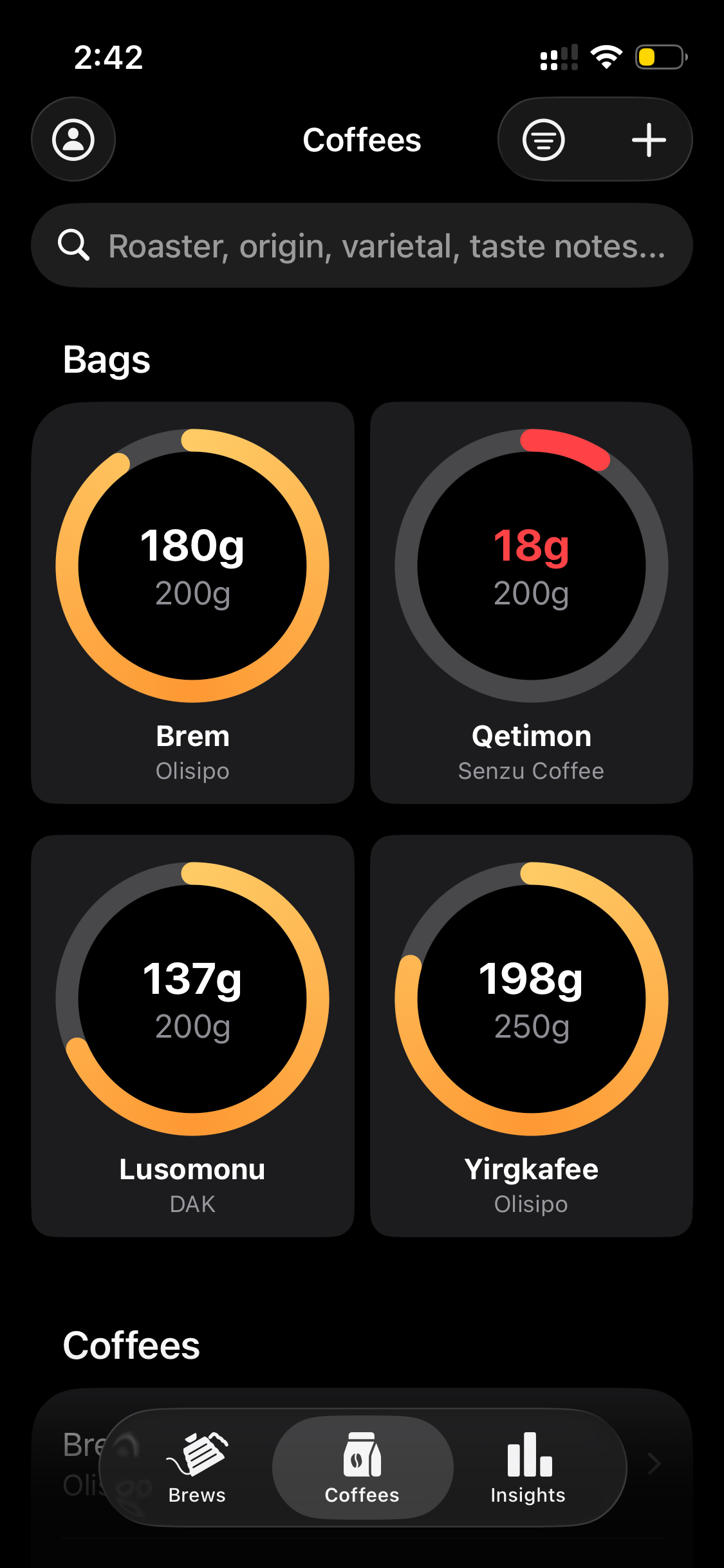
Brew frequency charts, method breakdowns, score trends, and daily streaks. Stop guessing what made yesterday's cup great — the data tells you.
Built different. Built deeper.
Most brew trackers stop at the basics. HomeBarista goes further — way further.
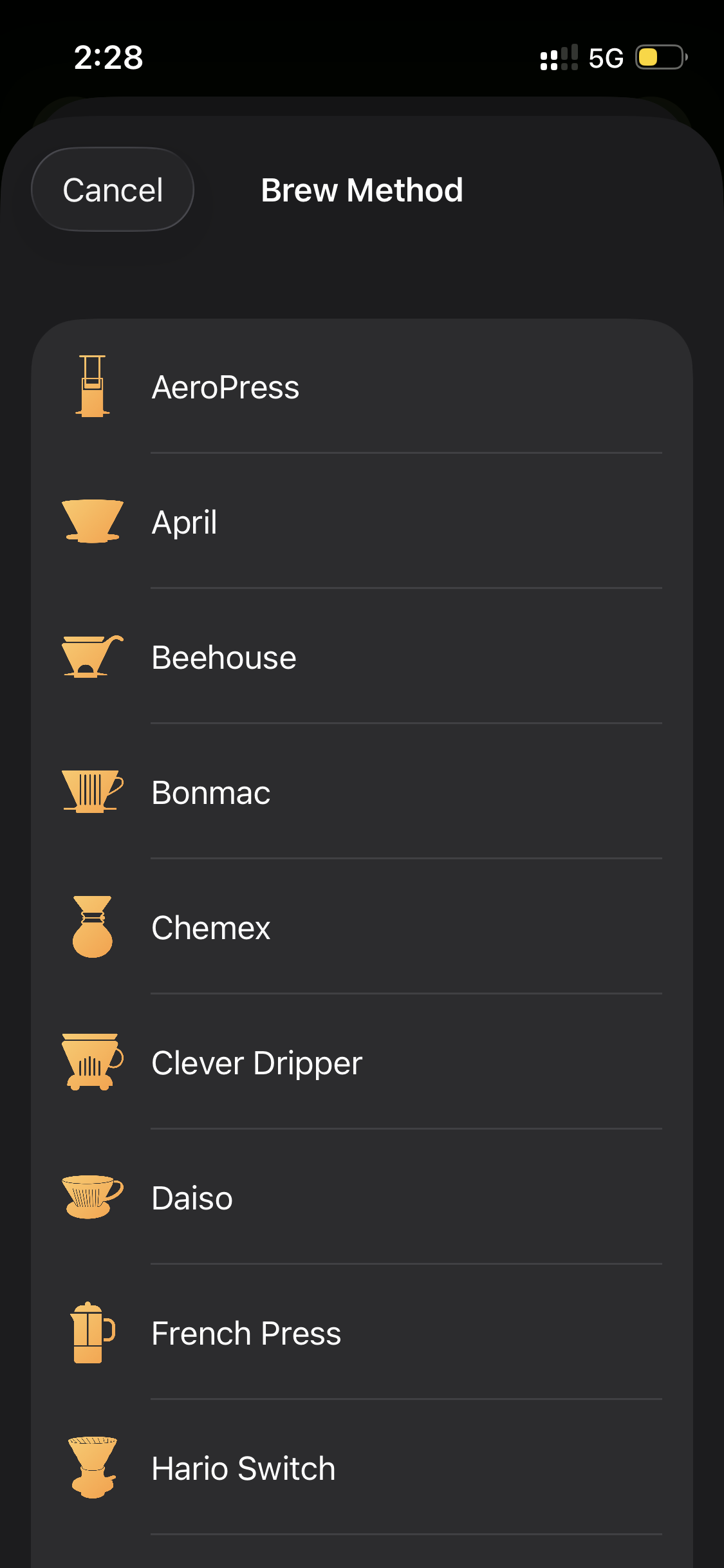
Brewing Devices
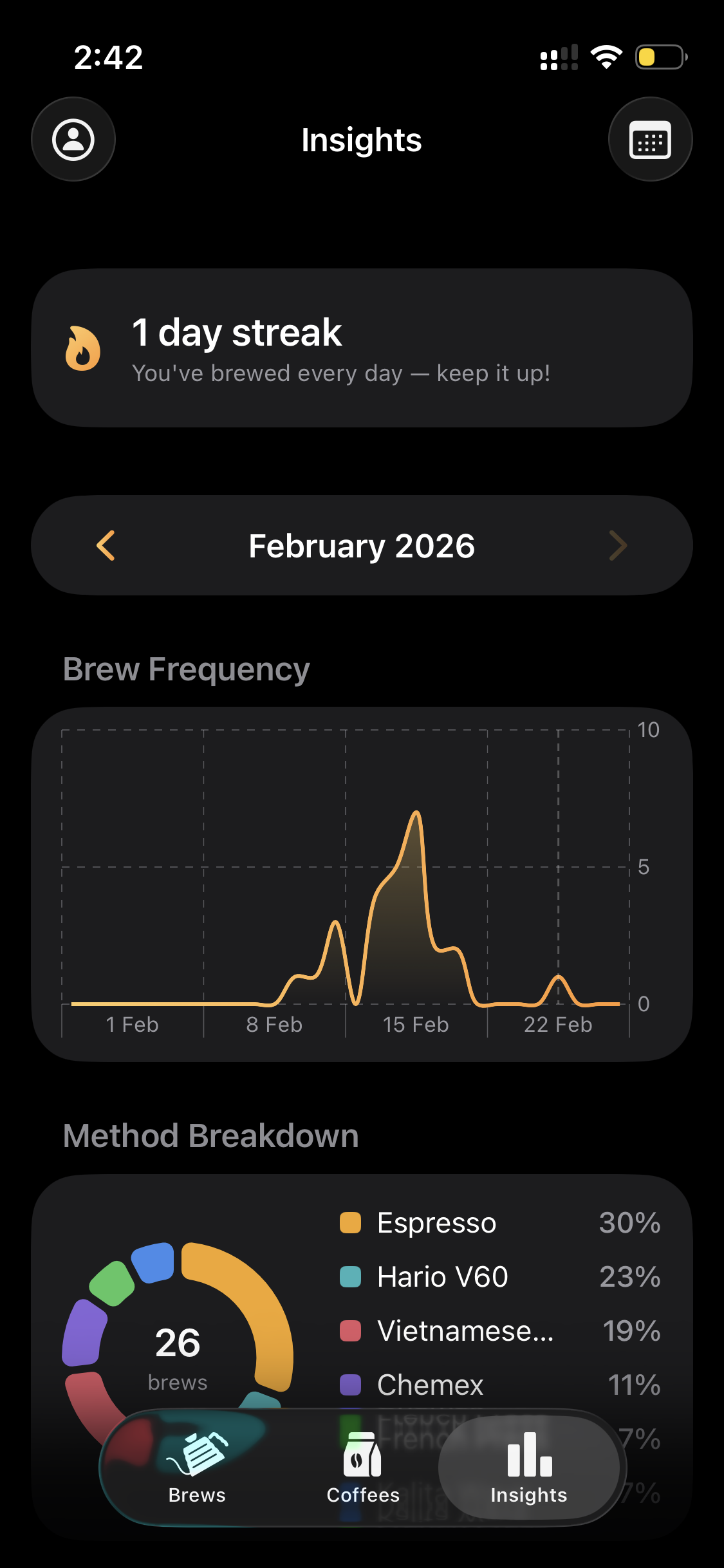
From Hario V60 to Vietnamese Dripper — every method has a dedicated icon and tailored parameters. Not a generic "other" category.
Brew Parameters
Dose, grind, water, temp, yield, time, TDS, extraction %, pressure, flow rate, bloom, pH — every variable that affects your cup.
Bag Scanner
Point your camera at any coffee bag. AI reads the label and auto-fills origin, process, variety, and tasting notes instantly.
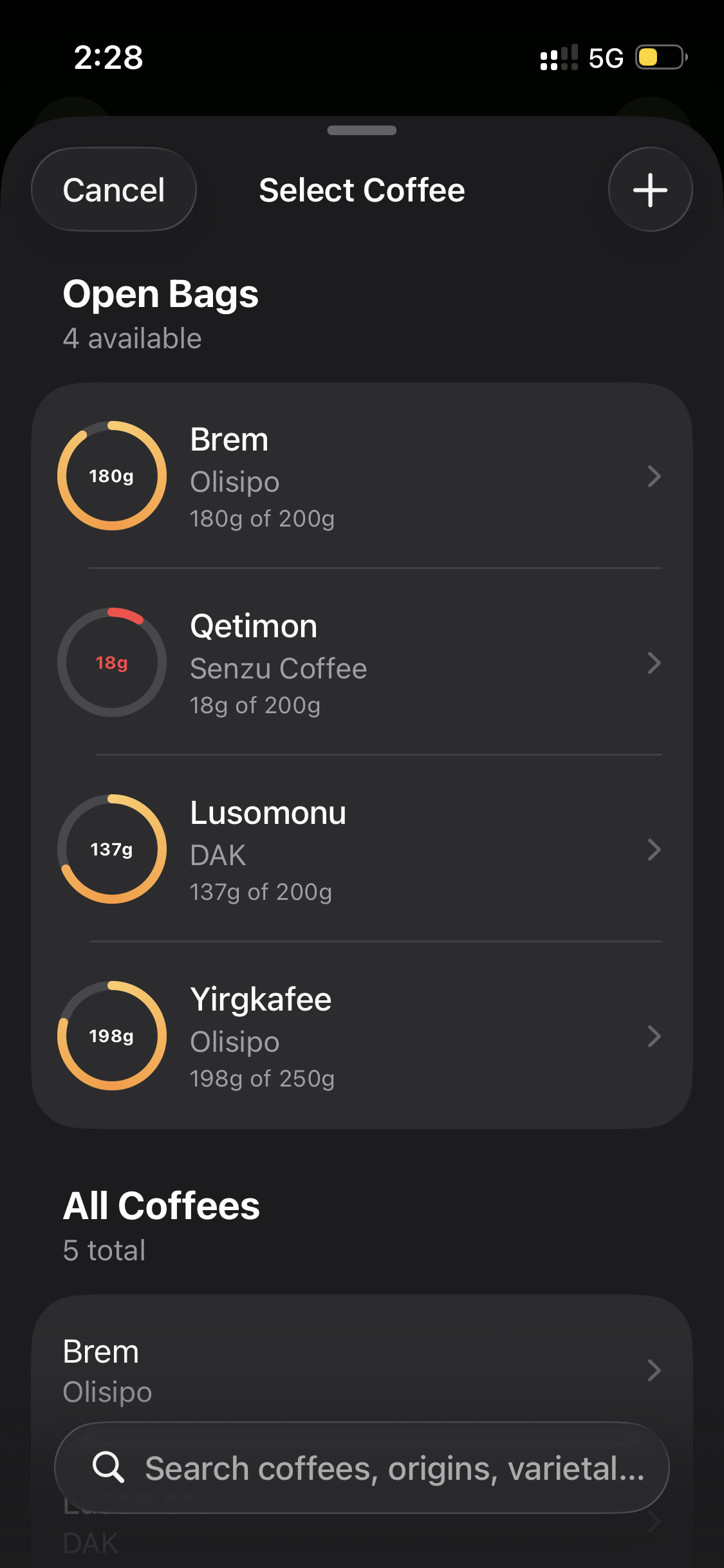
Inventory Tracking
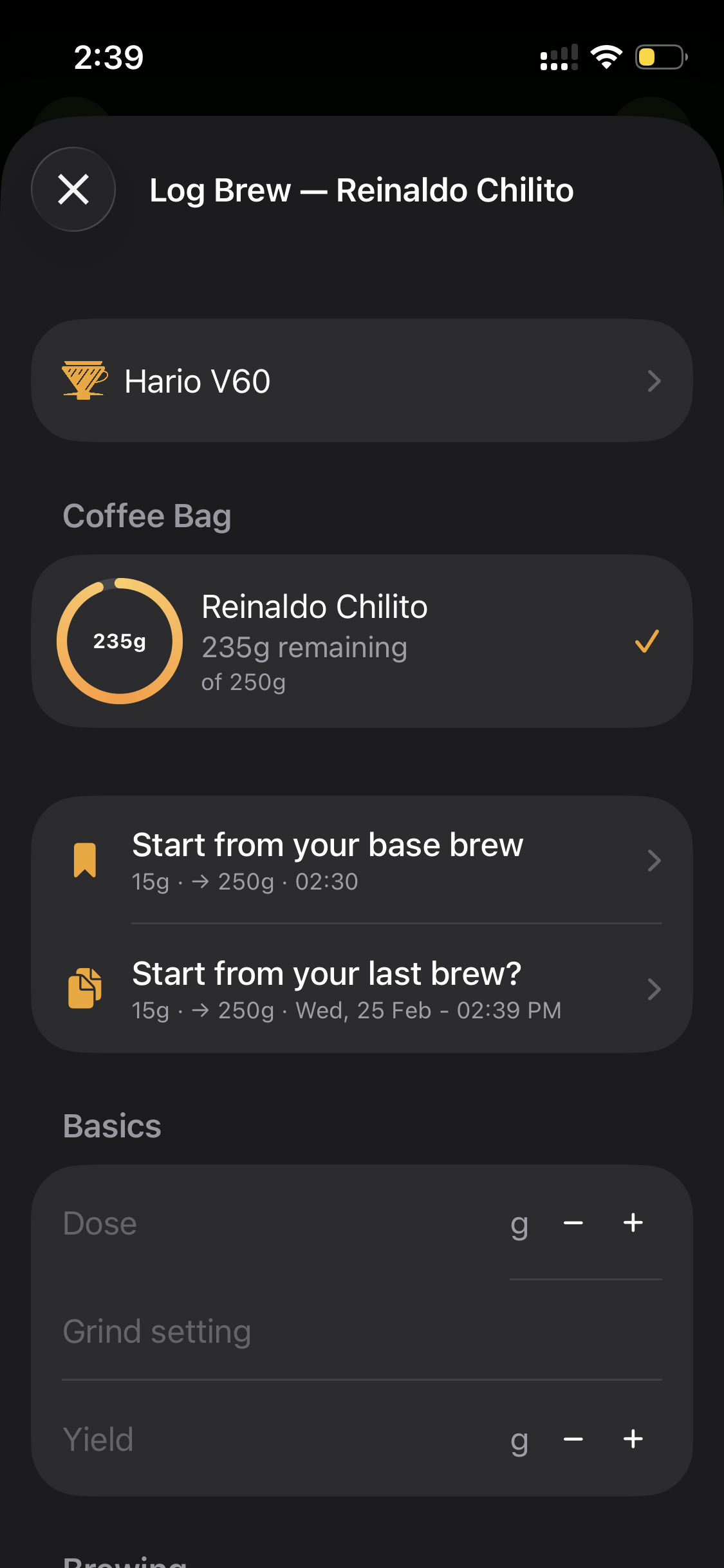
See how much coffee is left in every bag. Doses auto-deduct when you brew. A red ring warns you when it's time to reorder.
Track what others can't
From dose and grind to extraction percentage, TDS, pressure, and flow rate — log every detail that affects taste. Smart defaults and copy-from-last speed up your workflow so logging takes seconds, not minutes.
Never run out. Never guess.
Every bag tracked from origin to last cup. Inventory rings show exactly how much coffee is left — they turn red when you're running low. Days off roast updates automatically. AI scans bag labels so you skip manual entry entirely.
See the patterns. Brew better.
Stop wondering what made yesterday's cup great. Weekly, monthly, and yearly charts show brew frequency, method breakdowns, score trends, and extraction patterns. Track your daily streak and know exactly how long each bag lasts.
Your device is here. All of them.
30+ brewing devices with dedicated icons and tailored parameters. No "other" category — every method is a first-class citizen.
No limits. No compromises.
PRO removes every restriction. Unlimited brews, unlimited coffees, full analytics, and data export — everything serious brewers need.
Unlimited Brews
Log as many brews as you want with no limits.
Unlimited Coffees
Track your entire coffee collection without restrictions.
Full Insights
Access all charts, trends, and advanced analytics.
Data Export
Export your complete brew history anytime.
All Future Features
Every new feature we ship, included automatically.
Priority Support
Get help directly from the team when you need it.
Loved by home baristas everywhere
Real reviews from coffee lovers who track every brew, dial in every cup, and never look back.
"I switched from a spreadsheet and this is so much better. The inventory rings alone saved me from running out twice this month."
"The bag scanner blew my mind — pointed it at a new bag and everything auto-filled. 30+ devices and it actually has my Hario Switch."
"Finally an app that tracks TDS and extraction %, not just dose and water. The insights show me exactly what made my best V60s so good."
"The copy-from-last feature is a game changer. I log a brew in under 10 seconds now. Best coffee app on iOS by far."
"Being able to see my method breakdown and brew frequency over time helped me realize I was neglecting my Chemex. Data-driven brewing is real."
"I love that every device has its own icon and parameters. No other app treats my Kalita Wave and Origami as first-class citizens."
"The base brew feature saved me so much time. I set up my go-to V60 recipe once and every new brew starts from there. Brilliant."
"I track every brew for my small roastery samples. The export feature lets me share tasting notes with customers. Incredibly useful."
"The streak tracking keeps me motivated. 47 days in a row and counting. It turned my morning coffee into a proper daily practice."
"Love how it remembers my last grind setting per device. My AeroPress and V60 have totally different setups and it just knows."
"The days-off-roast tracking is something no other app does this well. I can finally see the sweet spot for every origin I buy."
"I went from guessing ratios to nailing 20% extraction consistently. The auto-calculated fields make dialing in so much faster."
Simple, transparent pricing
Try everything free for 3 days. No credit card required. Cancel anytime.
Monthly
3-day free trial
- Unlimited brews & coffees
- Full insights & charts
- Data export
- Cancel anytime
Yearly
3-day free trial · Save 44%
- Everything in Monthly
- Best value for regulars
- All future features
- Cancel anytime
Frequently asked questions
What brewing devices does HomeBarista support?
HomeBarista supports over 30 brewing devices including Hario V60, Chemex, AeroPress, French Press, Kalita Wave, Origami, Clever Dripper, Moka Pot, Espresso, Cold Brew, Batch Brew, Siphon, Vietnamese Dripper, OREA, April, and many more. Each device has a dedicated icon and customizable brew parameters.
What brew parameters can I track?
You can track 17+ parameters per brew: dose (g), grind setting, total water (g), bloom water (g), temperature (°C/°F), yield (g), brew ratio (auto-calculated), brew time, bloom time, TDS (%), extraction percentage (auto-calculated), basket size, water pH, pressure (bar), flow rate, star rating, comments, and days off roast.
Is HomeBarista free to use?
Yes! HomeBarista offers a free tier with a limited number of brews and coffees. Upgrade to HomeBarista PRO for unlimited brews, unlimited coffees, full insights with charts and trends, and data export. All PRO plans include a 3-day free trial.
What languages does HomeBarista support?
HomeBarista is available in 6 languages: English, German, Spanish, French, Dutch, and Portuguese.
Can HomeBarista scan coffee bag labels?
Yes! HomeBarista includes AI-powered camera scanning that reads your coffee bag labels and automatically fills in details like coffee name, roaster, origin, processing method, variety, and tasting notes — saving you from manual entry.
How does inventory tracking work?
Each coffee bag has a visual inventory ring showing remaining weight. When you log a brew, the dose is automatically deducted from the selected bag. The ring turns red when you're running low (under 40g), so you always know when to reorder. Days off roast is tracked automatically from the bag's roast date.
What are base brews and reference brews?
Base brews are default templates per brewing device — start every new brew from your preferred recipe instead of entering everything from scratch. Reference brews mark your best brew for a specific coffee and device combination, giving you a target to replicate every time.

Your next brew could be your best
30+ devices. 17+ parameters. AI bag scanning. Real-time inventory. Download HomeBarista and start tracking what actually matters.