
Built different. Built deeper.
Most brew trackers stop at the basics. HomeBarista goes further — way further.
Brewing Devices
From Hario V60 to Vietnamese Dripper — every method has a dedicated icon and tailored parameters. Not a generic "other" category.
Brew Parameters
Dose, grind, water, temp, yield, time, TDS, extraction %, pressure, flow rate, bloom, pH, sensory scores — every variable that affects your cup.
Bag Scanner
Point your camera at any coffee bag. AI reads the label and auto-fills origin, process, variety, and tasting notes instantly.
Inventory Tracking
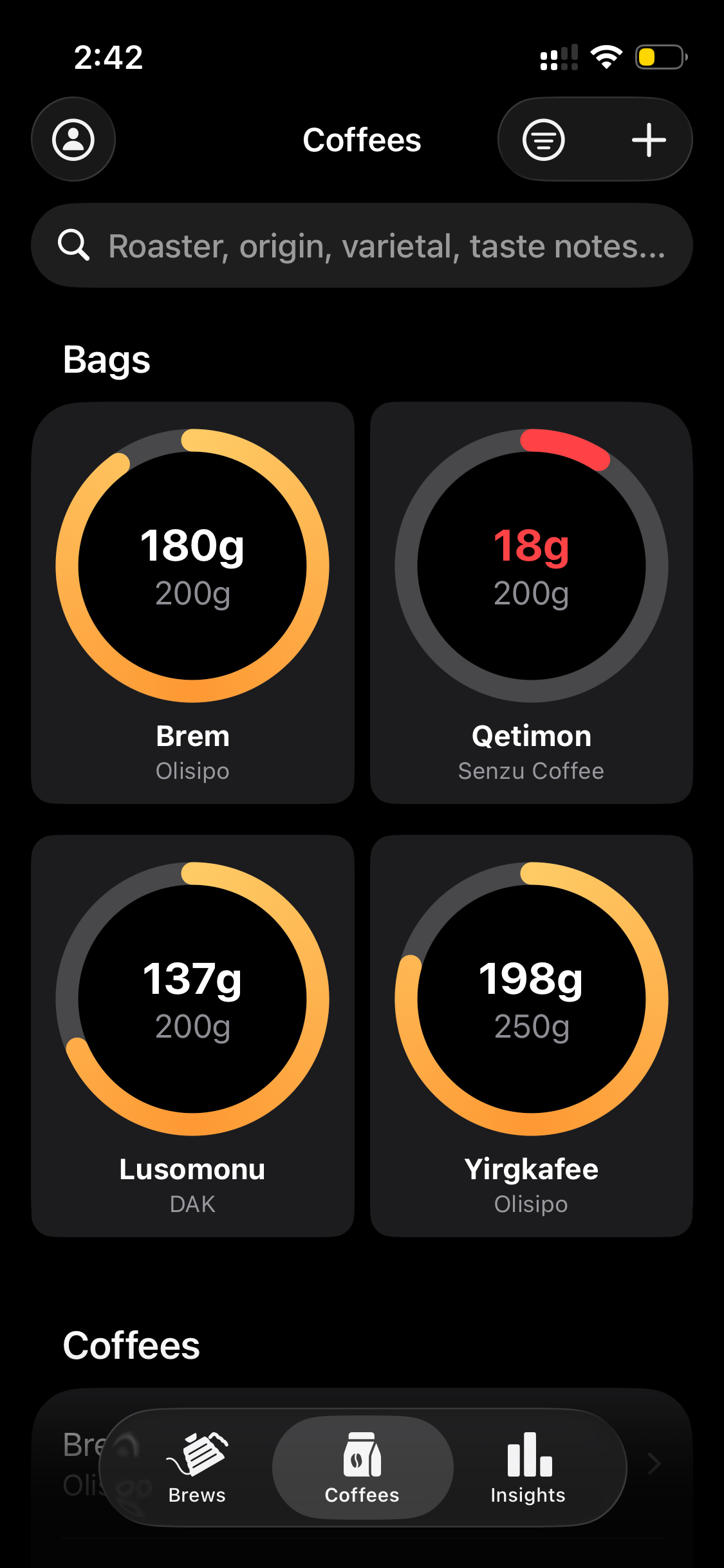
See how much coffee is left in every bag. Doses auto-deduct when you brew. A red ring warns you when it's time to reorder.
Every detail. Every brew.
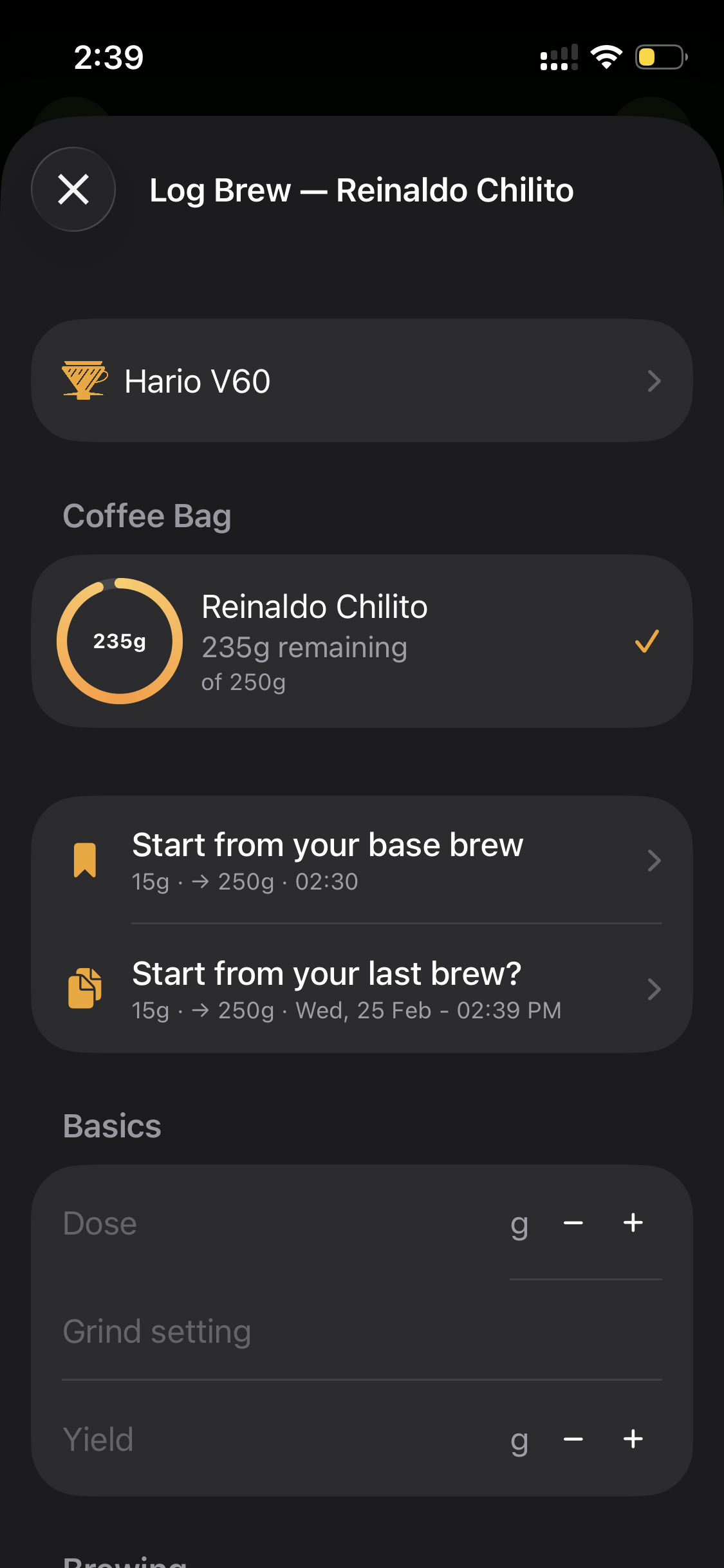
25+ parameters per brew — from dose and grind to extraction percentage, TDS, pressure, flow rate, and sensory scores. Multi-step recipes let you define each pour. Smart defaults and copy-from-last make logging take seconds.
Never run out. Never guess.
Every bag tracked from origin to last cup. Inventory rings show exactly how much coffee is left — they turn red when you're running low. Days off roast updates automatically. AI scans bag labels so you skip manual entry entirely.
Know your extraction. Nail the flavor.
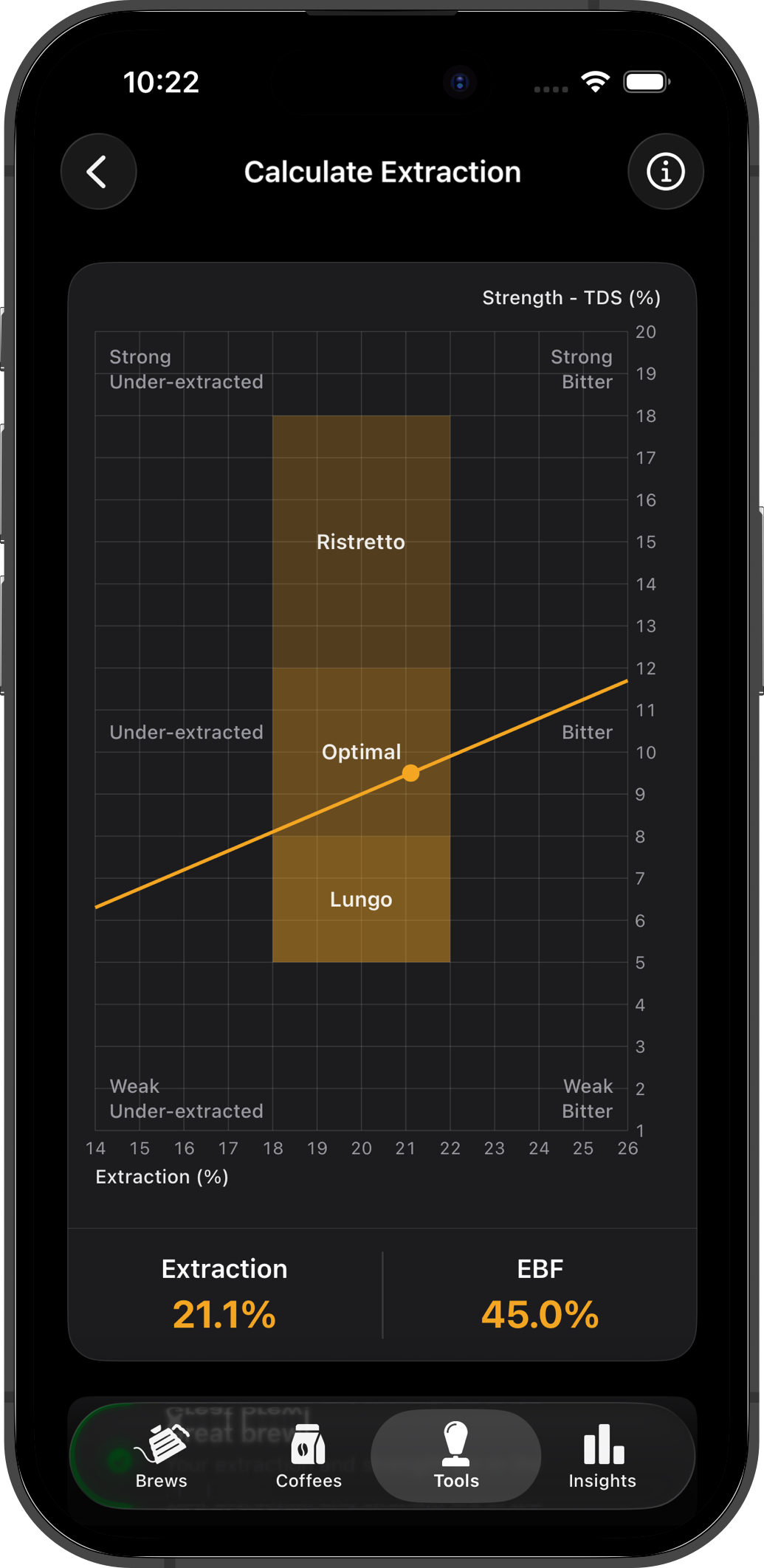
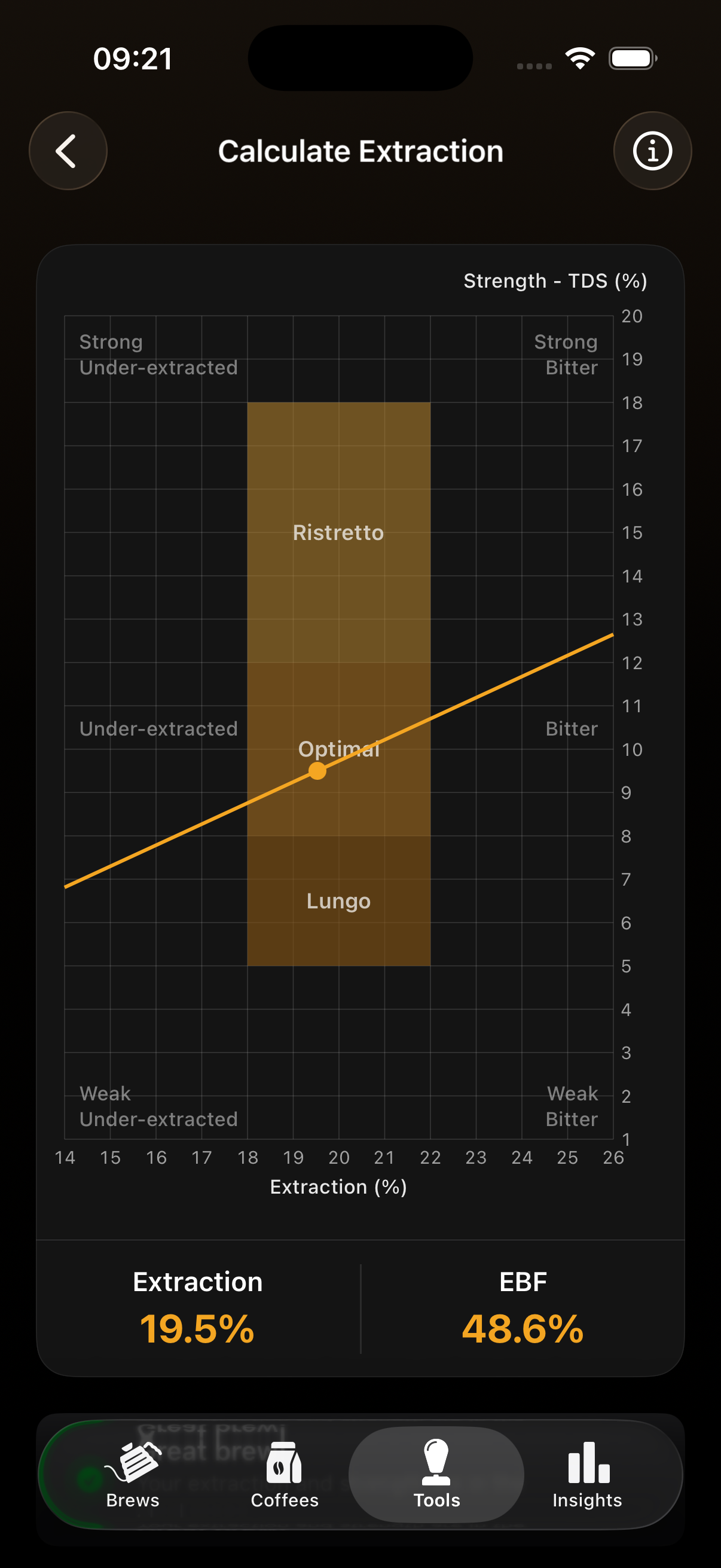
Enter your TDS reading and HomeBarista instantly calculates your extraction percentage. See exactly where you land on the flavor spectrum — under-extracted, dialed in, or over-extracted — and adjust your next brew with confidence.
See the patterns. Brew better.
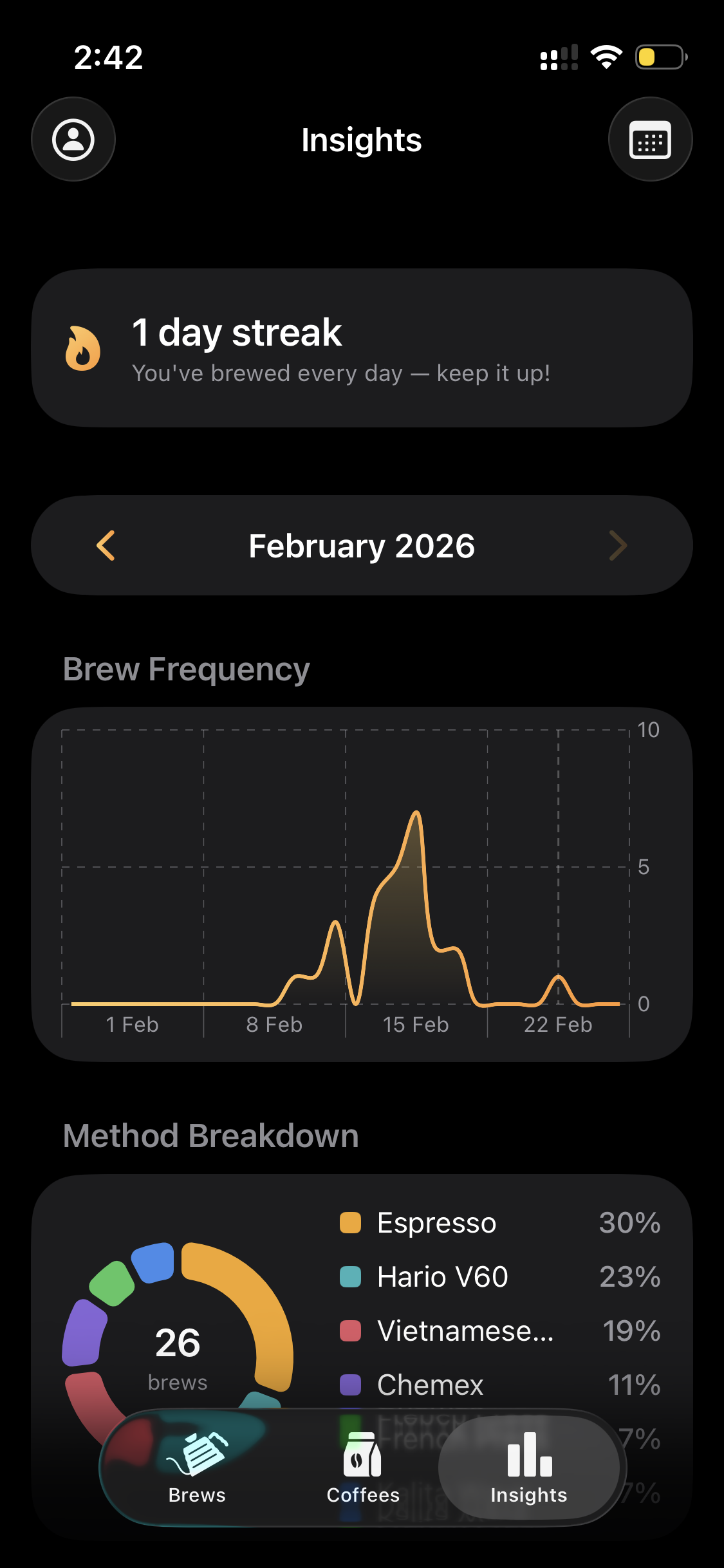
Stop wondering what made yesterday's cup great. Weekly, monthly, and yearly charts show brew frequency, method breakdowns, score trends, and time-of-day patterns. An interactive origin map shows where your coffee comes from.
Five tools. Zero guesswork.
Professional-grade calculators and utilities that take your brewing from good to dialed in.
Extraction Calculator
Input dose, yield, and TDS to calculate extraction %. Interactive chart with ristretto, optimal, and lungo zones plus smart tips.
Learn more →Espresso Dial-In
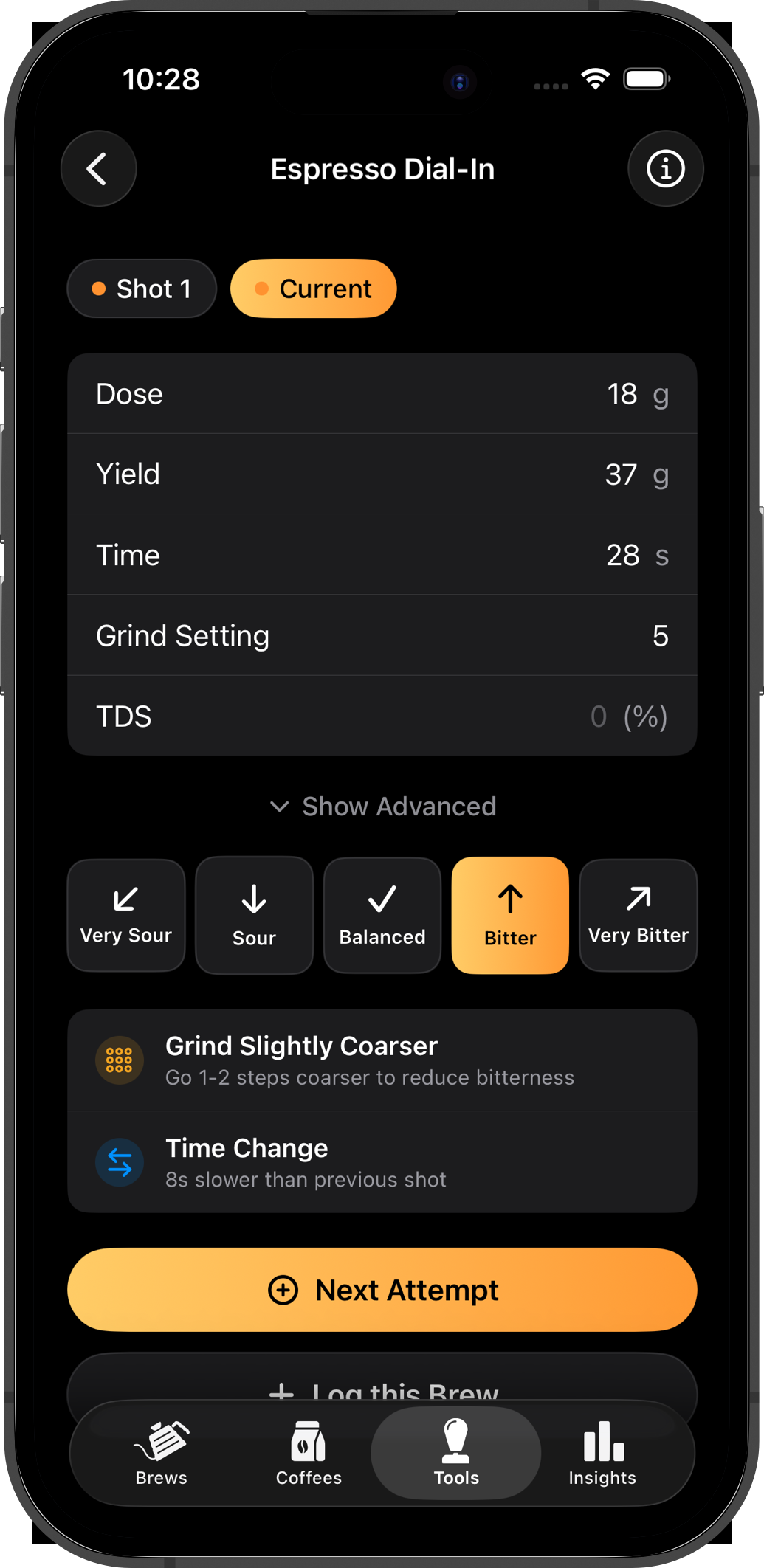
Structured workflow across multiple attempts. 5-option taste feedback with color-coded tracking and smart grind adjustment recommendations.
Learn more →Cost Per Cup
Calculate exact cost per cup from bag price, dose, and optional milk cost. See weekly and monthly spending with cups-per-bag estimates.
Learn more →Water Recipe
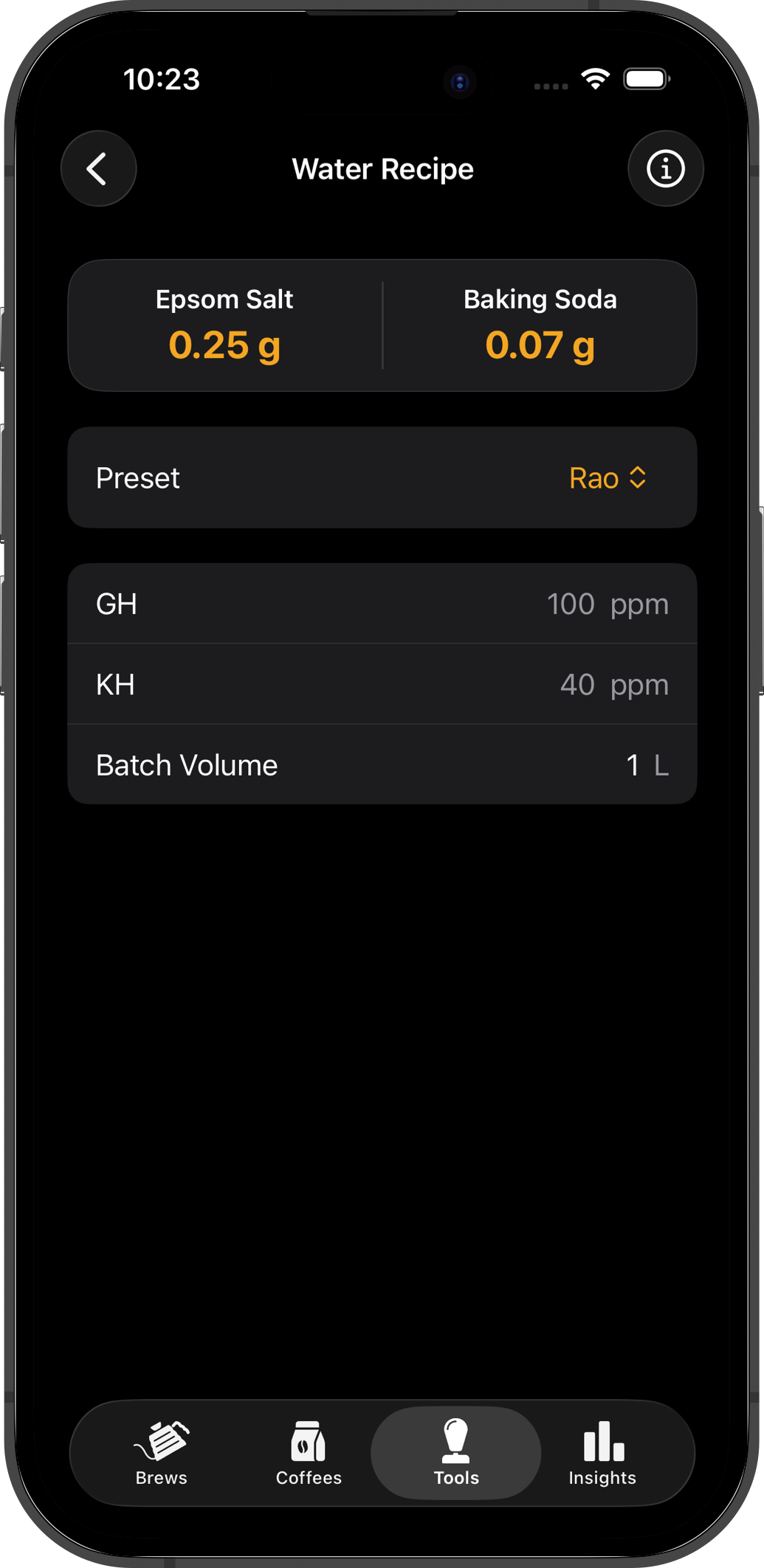
Calculate mineral concentrations for brewing water. 5 built-in presets — Pavlis, RAO, SCA, BH4, Melbourne — with step-by-step instructions.
Learn more →Equipment Maintenance
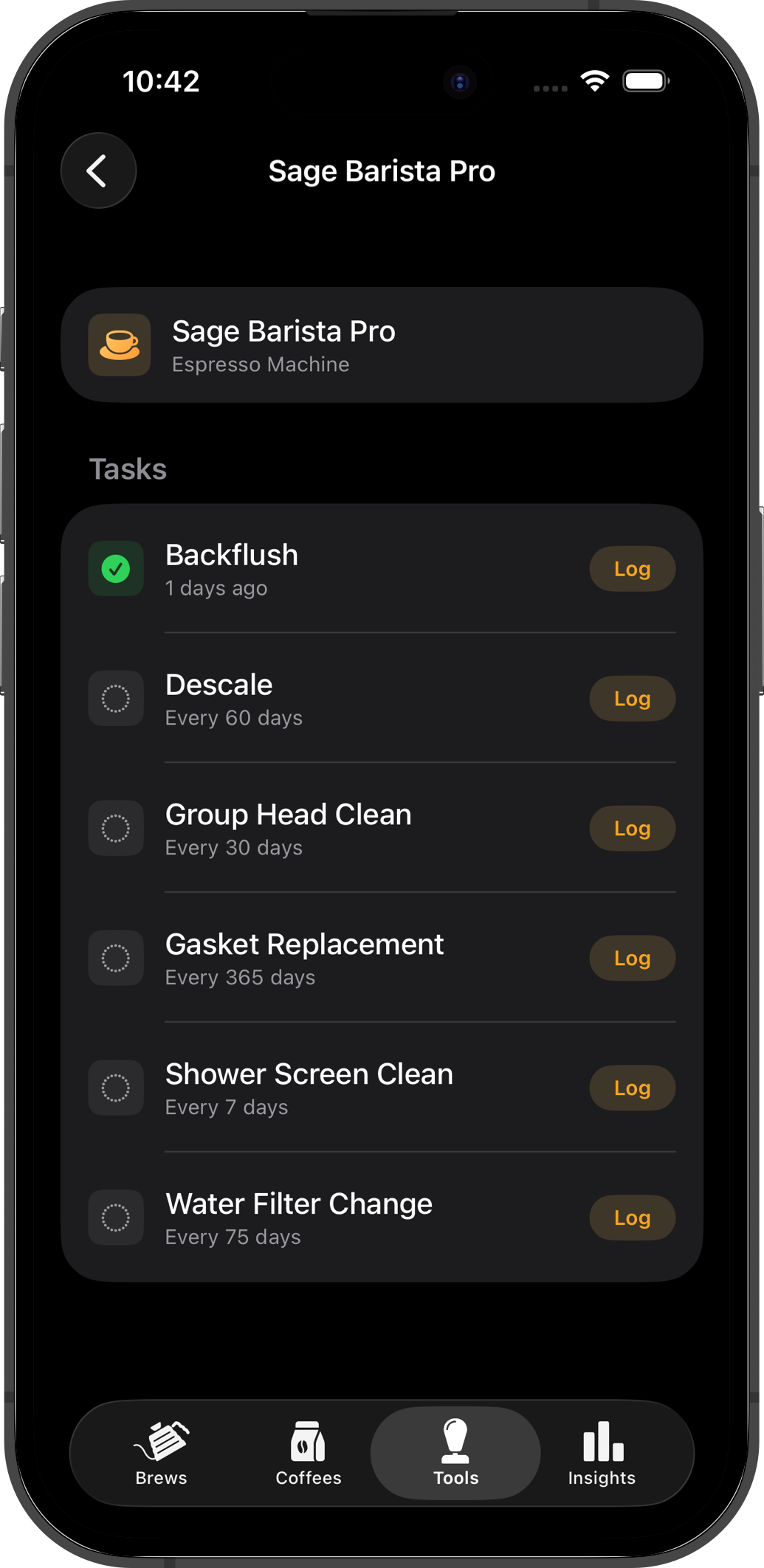
Track maintenance schedules for every piece of gear. Backflush, descale, gasket swaps — with overdue alerts so nothing gets missed.
Learn more →Frequently asked questions
What brewing devices does HomeBarista support?
HomeBarista supports over 30 brewing devices including Hario V60, Chemex, AeroPress, French Press, Kalita Wave, Origami, Clever Dripper, Moka Pot, Espresso, Cold Brew, Batch Brew, Siphon, Vietnamese Dripper, OREA, April, and many more. Each device has a dedicated icon and customizable brew parameters.
What brew parameters can I track?
You can track 25+ parameters per brew: dose, grind setting, water, bloom water, temperature, yield, brew ratio, brew time, bloom time, TDS, extraction %, basket size, water pH, pressure, flow rate, plus sensory scores for acidity, body, aftertaste, aroma, sweetness, and bitterness (each 1–10), an overall score (0–100), comments, roast date, and days off roast.
Is HomeBarista free to use?
Yes! HomeBarista offers a free tier with a limited number of brews and coffees. Upgrade to HomeBarista PRO for unlimited brews, unlimited coffees, full insights with charts and trends, and data export. All PRO plans include a 3-day free trial.
What languages does HomeBarista support?
HomeBarista is available in 6 languages: English, German, Spanish, French, Dutch, and Portuguese.
Can HomeBarista scan coffee bag labels?
Yes! HomeBarista includes AI-powered camera scanning that reads your coffee bag labels and automatically fills in details like coffee name, roaster, origin, processing method, variety, and tasting notes — saving you from manual entry.
How does inventory tracking work?
Each coffee bag has a visual inventory ring showing remaining weight. When you log a brew, the dose is automatically deducted from the selected bag. The ring turns red when you're running low (under 40g), so you always know when to reorder. Days off roast is tracked automatically from the bag's roast date.
How does the extraction calculator work?
HomeBarista's built-in extraction calculator takes your TDS (Total Dissolved Solids) reading from a refractometer and automatically calculates your extraction percentage based on your dose and yield. A visual indicator shows whether you're under-extracted, in the ideal range, or over-extracted — so you know exactly how to adjust your grind, dose, or brew time for the next cup.
What are base brews and reference brews?
Base brews are default templates per brewing device — start every new brew from your preferred recipe instead of entering everything from scratch. Reference brews mark your best brew for a specific coffee and device combination, giving you a target to replicate every time.
What Pro tools are included?
HomeBarista Pro includes five tools: Extraction Calculator (TDS to extraction % with visual zones), Espresso Dial-In Assistant (structured workflow with taste feedback and smart adjustments), Cost Per Cup Calculator (with milk cost breakdown), Water Recipe Calculator (5 presets including Pavlis, RAO, and SCA), and Equipment Maintenance Tracker (schedules with overdue alerts).
Is my data synced across devices?
Yes. All your brews, coffees, roasters, and settings are synced to the cloud via Firebase. Sign in with Apple, Google, or email and your data is accessible from any device.

Your next brew could be your best
30+ devices. 25+ parameters. AI bag scanning. Real-time inventory. Pro tools for dialing in. Download HomeBarista and start tracking what actually matters.